
Clock in and out (shop app and Tech App)
- Pro
- —
- Elite
- —
- Ultra
- Yes
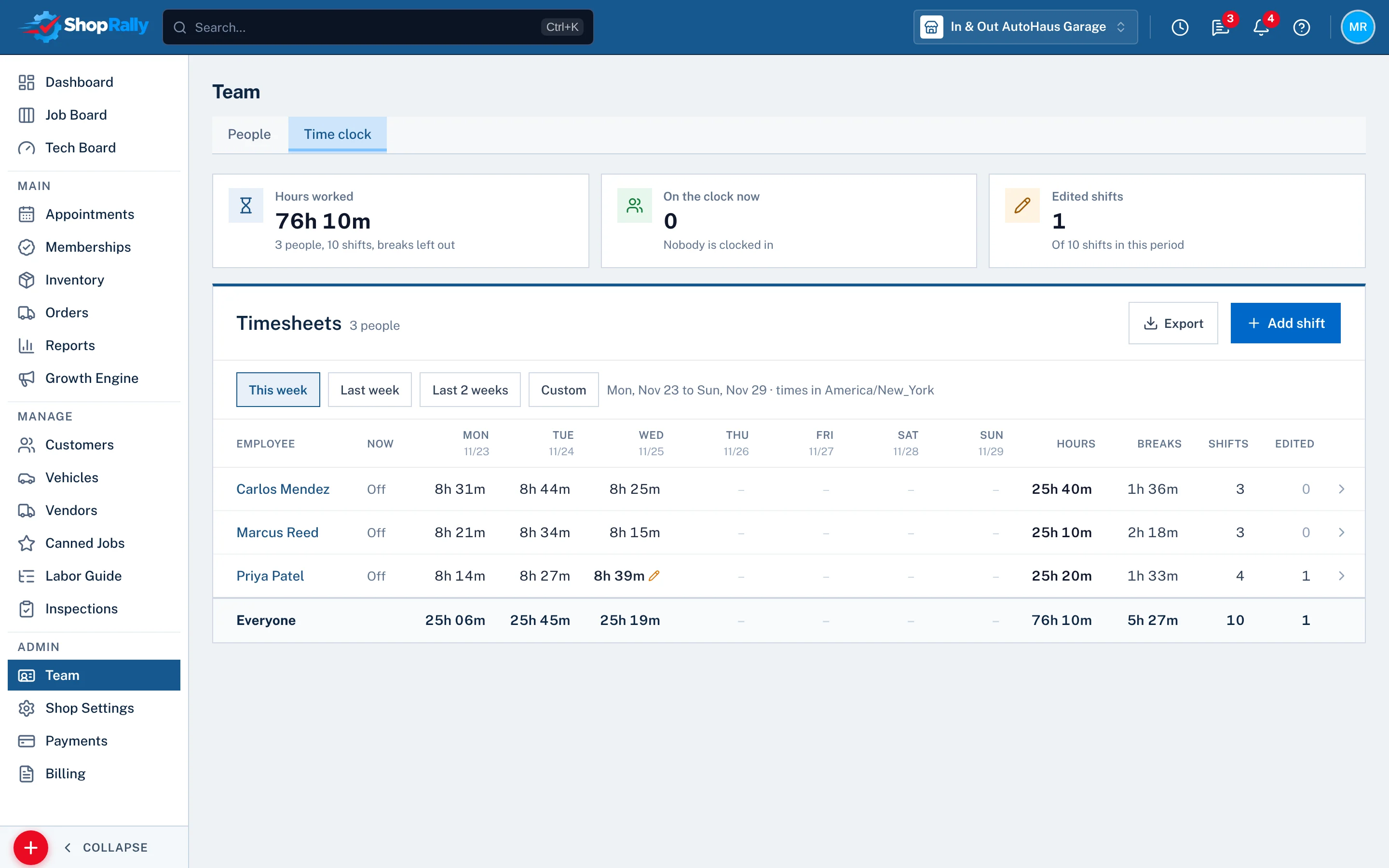
Everyone clocks in and out on the shop app or the Tech App. The timesheet shows hours per person and day, and a manager fixes a missed punch with a reason.
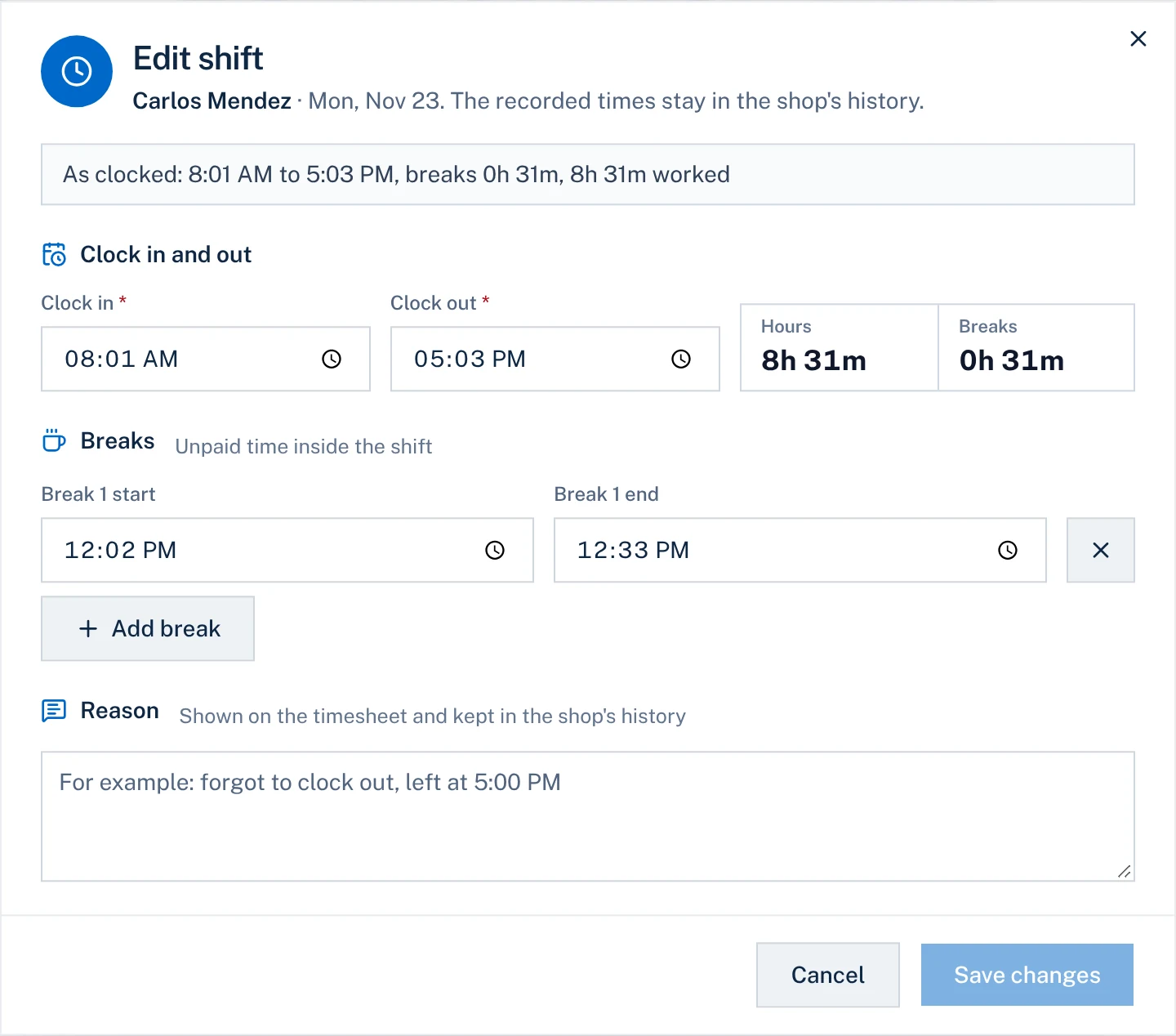
On Ultra. The times as clocked stay on record next to every fix.
How it works
Step 1
From the top bar of the shop app or the Tech App on the phone. Breaks are left out of hours worked.
Step 2
Hours per person for this week, last week or any dates, with who is on the clock now. Open a person to see each shift.
Step 3
A manager adds, edits or removes a shift with a reason. The timesheet marks the edit and keeps the times as clocked.
Honest packaging
Launching Q4 2026 · no card · we'll invite you at launch

